Flight Frame
Window seat.
Framed.
Your window-seat photo, with the whole flight on it.
For iPhone and iPad. iOS 18.6 or later.
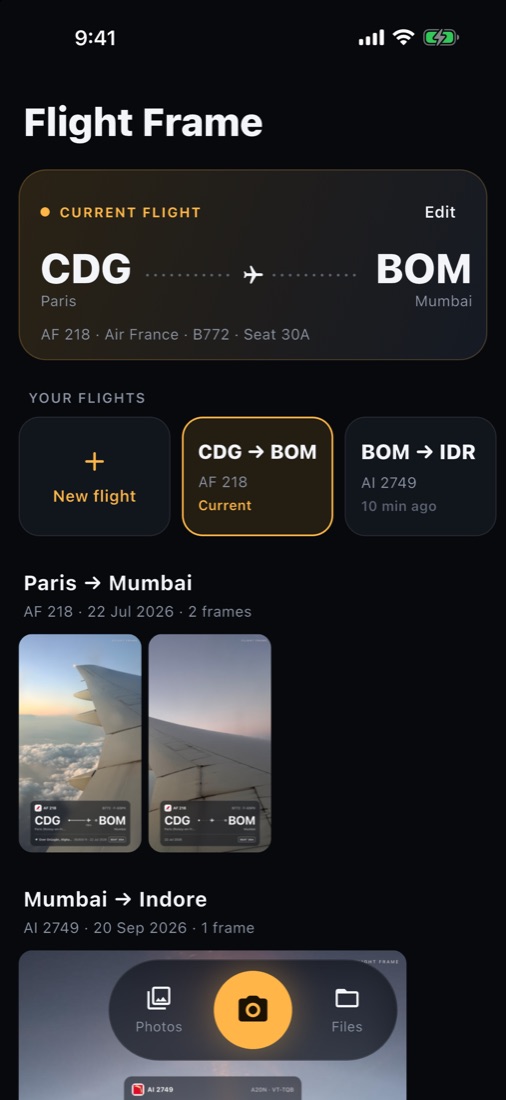
Get the highlights.
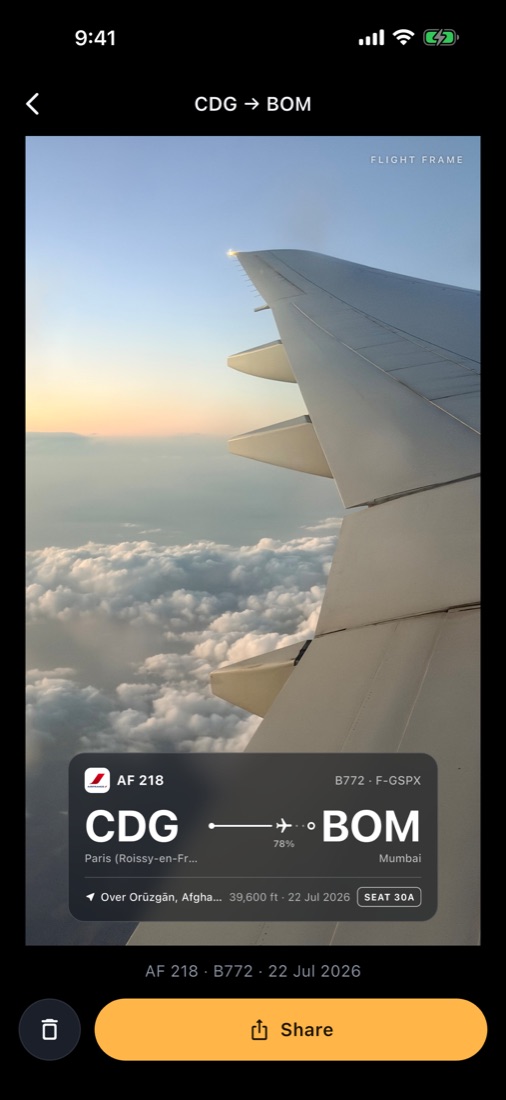
Altitude and position
39,600 ft
Where you were, how high, and when, read straight from the photo. Works offline, in the air, with no signal.
Price
Free
On the App Store for iPhone and iPad.
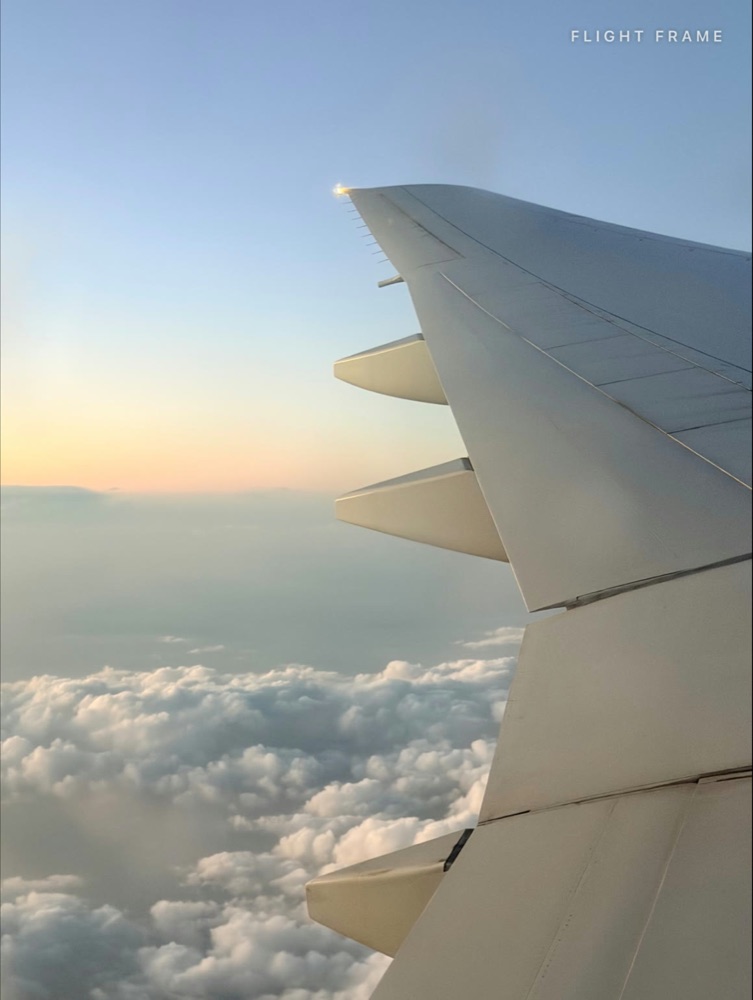
Shoot in any shape
Four frames, right in the viewfinder.
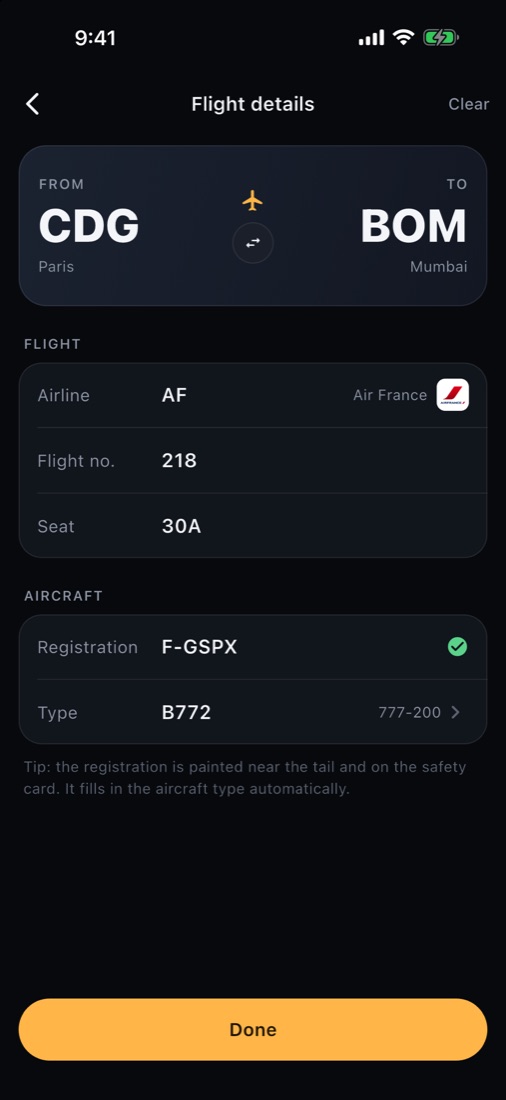
Type a registration
The aircraft fills itself in.
Built-in airline, airport and aircraft databases do the lookups on the device.
Accounts needed
0
No sign-up, no tracking. Open it and shoot.
Every trip
Kept, flight by flight.
A gallery of frames grouped by flight, and one tap to switch trips.
Exports
High resolution.
Sharp enough for your feed, your wall or your group chat.
The card
The whole flight.
On one card.
Airline, flight number, aircraft, seat and route, with a line showing how far into the flight you took the shot. Try the shapes and styles.

Flight
Airline name and logo, flight number and seat. Type the code and suggestions pop up.
Route progress
Origin to destination, with how far along the flight the photo was taken.
Aircraft
Registration and type. Enter the reg from the safety card and the type is filled in.
Position
Place, altitude and date from the photo's own data. No network needed.
How it works
Shoot. Fill in. Share.
From the window to your camera roll in under a minute. Pinch, pan, drag and resize until it looks right.
Your flights stay yours.
Everything runs on your device. Your photos and flights are never uploaded.
No account
Nothing to sign up for.
No tracking
No analytics following you around.
On-device
Lookups run offline, even at 39,000 ft.
Your next window seat
deserves a frame.